Precise AI imaging for technical photographers
Nyvra Studio pairs neural segmentation with a depth-aware, non-destructive pipeline. Everything runs locally on your machine — your images never leave your desk.
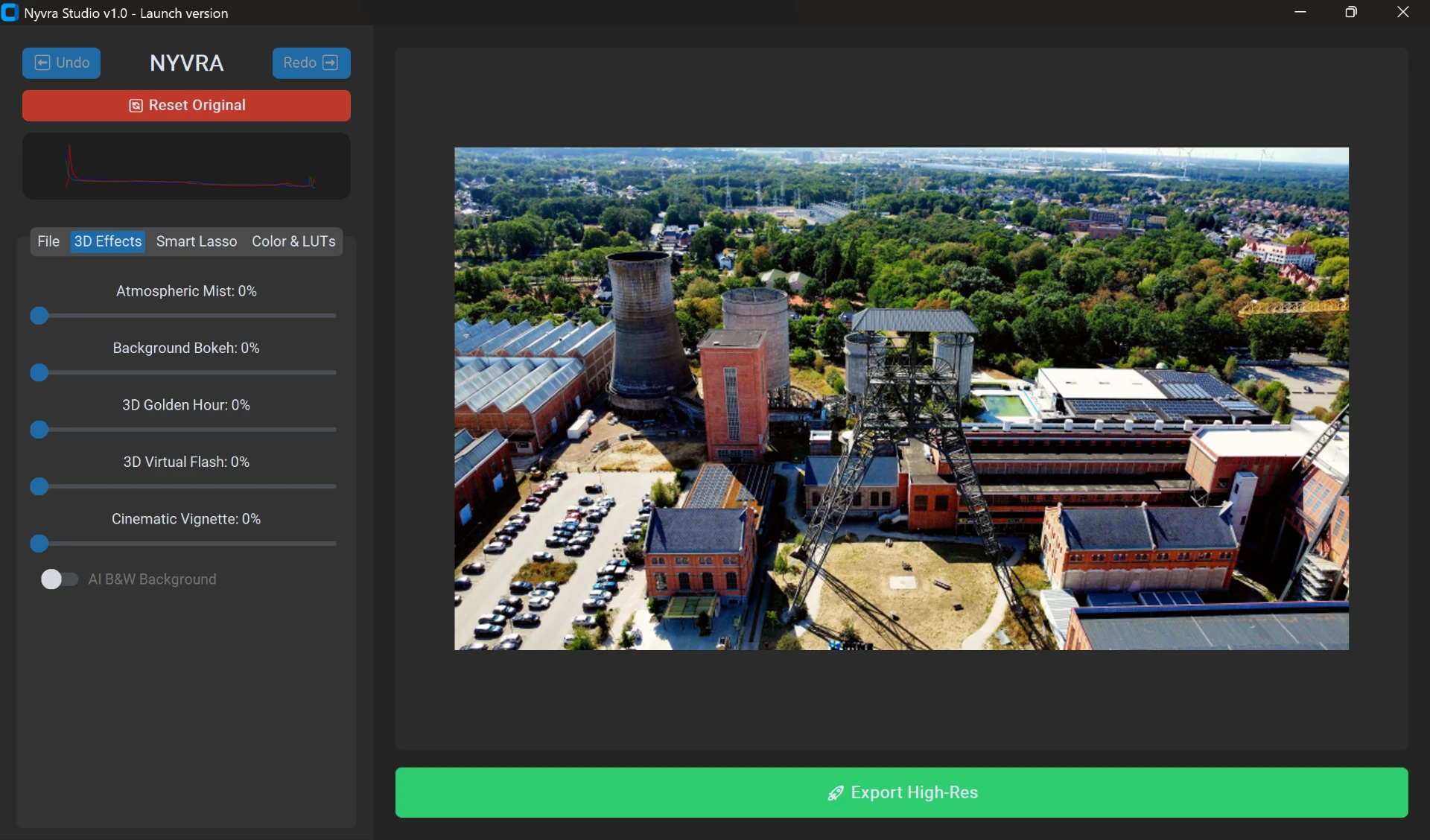
AI Object Selection
Click any subject and the segmentation engine isolates it — hair, glass, foliage — into an editable mask.
Nyvra AI Enhance
Depth-map driven enhancement adds contrast and atmosphere with spatial awareness instead of flat filters.
HSL Selective Colors
Target individual hue bands and reshape saturation and luminance without touching the rest of the frame.
AI B&W Background
Keep your selected subject in full color while the background falls away to monochrome in one click.
AI Color Presets
Cinematic grades applied through the depth pipeline, tuned per image rather than stamped on top.
High-Res Export
Commit your edit stack and export at full source resolution — every adjustment stays non-destructive until then.
System Requirements
Nyvra Studio runs its models on local hardware for privacy and speed. An NVIDIA GPU is recommended, but a CPU fallback is included.
Download Nyvra Studio
Single installer, no account required. Models download on first launch when you activate the AI engines.